
Robotics kits by age: what kids learn and how to choose the right challenge
From first builds to app-controlled and coded robots, how to match a robotics kit to a child’s age, patience and interests.
The quick answer
Choose a robotics kit by the builder’s patience and interests as much as their age. Younger children do best with simple builds and immediate results such as solar or motorized models. Children around 8 to 12 often enjoy multi-model kits with remote or app control. Older children and teens are ready for kits that introduce programming, from block coding to text-based languages. A kit that is slightly challenging keeps them building; one far beyond them ends up in a drawer.
What children actually learn
Robotics kits teach more than robotics. Following instructions builds sequencing and patience. Gears, motors and solar panels give a physical feel for how energy and motion work. Rebuilding a kit into a different model teaches design thinking, and coding introduces logic and problem solving. The best kits leave room to experiment beyond the instructions.
A rough guide by age
| Age | Good fit | What they gain |
|---|---|---|
| 6 to 8 | Simple motorized or solar builds with few steps | Following instructions, cause and effect |
| 8 to 12 | Multi-model kits, remote or app control | Mechanics, persistence, design choices |
| 10 and up | Kits with block-based coding | Logic, sequencing, debugging |
| 13 and up | Microcontroller and text-coding kits | Electronics and real programming |
Age ranges on boxes are a starting point. A patient eight-year-old who loves building may enjoy a kit labeled for older children; an impatient twelve-year-old may prefer a quicker build.
What to check before buying
- Number of models and pieces: more models add replay value, more pieces add build time.
- Power: batteries, rechargeable packs or solar, and what is included in the box.
- Control: none, remote control or app, and which phones or tablets the app supports.
- Instructions: printed, in an app or video, and how clear they are for the age group.
- Small parts warnings for homes with younger siblings.
Making it stick
Build alongside them the first time, then step back. Encourage rebuilding into another model or inventing their own. A kit that becomes a platform for experiments delivers far more than one that is built once and put on a shelf.
Your questions, answered.
What age is best for a robotics kit?
Simple solar and motorized kits suit children from around 6 to 8; multi-model and app-controlled kits suit around 8 to 12; coding kits suit older children and teens.
Do robotics kits teach coding?
Some do, using block-based or text programming. Many building kits focus on mechanics and control instead, which is a great foundation.
Are solar robot kits worth it?
They are an inexpensive way to explore renewable energy and mechanics, and many build into several models. They need strong sunlight or a bright lamp to run.
Ready to choose?
Robots we recommend in robotics kits
See all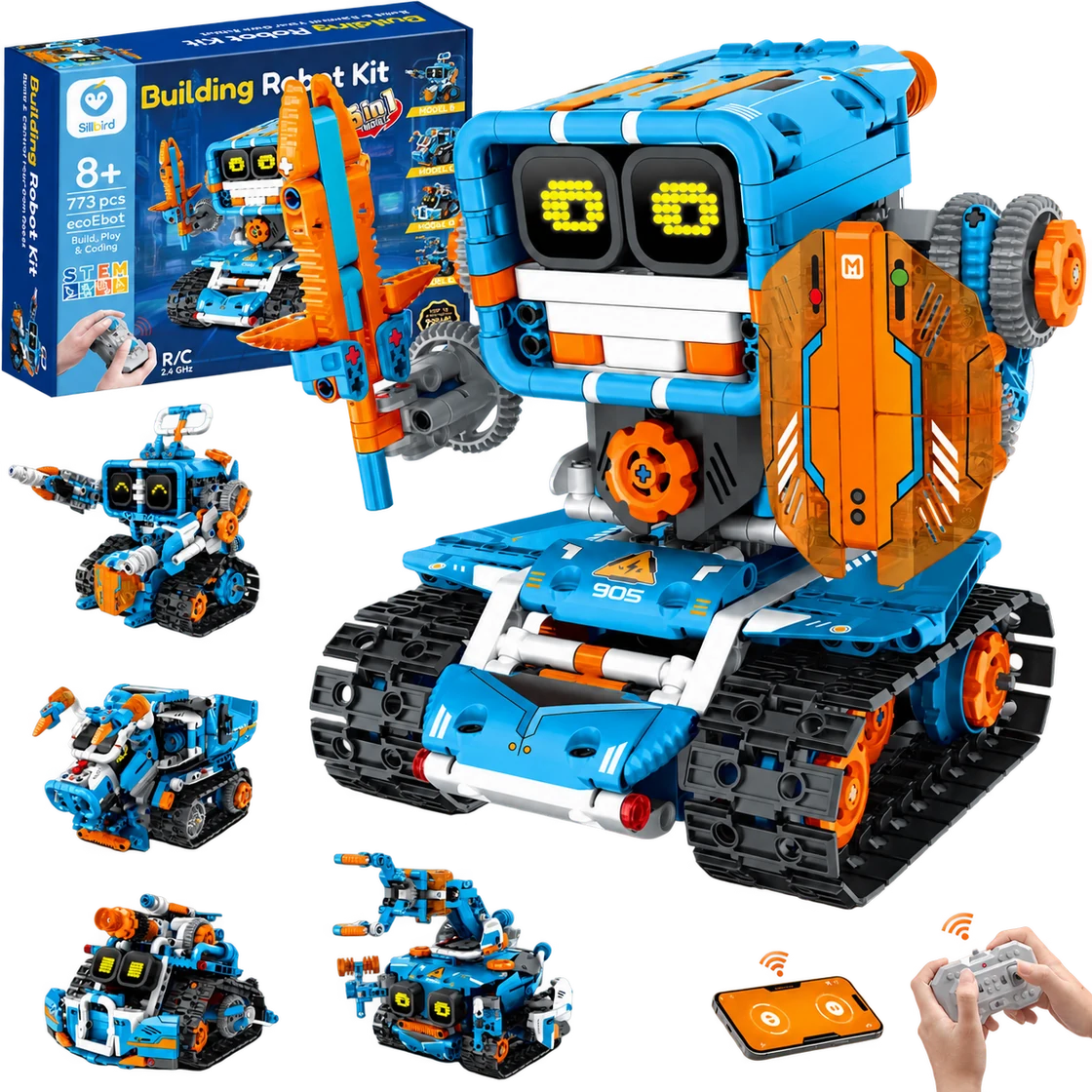
Sillbird Building Robot Kit B905
A multi-build robot project that turns assembly into part of the fun.
Best for Builders aged 8+ who enjoy following a project, making several robot designs and choosing between app or remote control
Read the review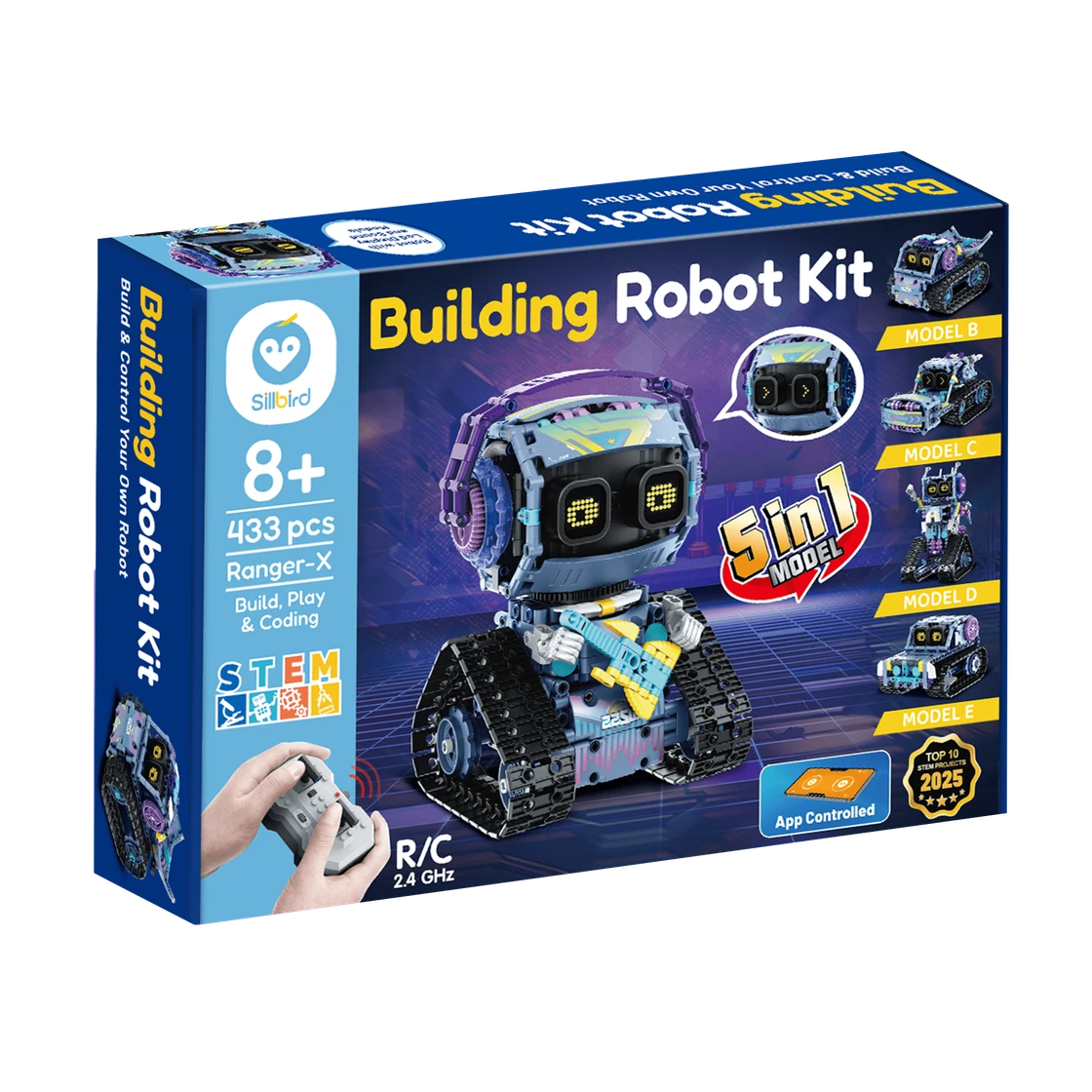
Sillbird RockRoller Music Robot
A characterful robot-building project with five ways to rebuild and two control options.
Best for Builders aged 8+ who enjoy a multi-session construction project and want to drive or program an expressive robot afterward
Read the review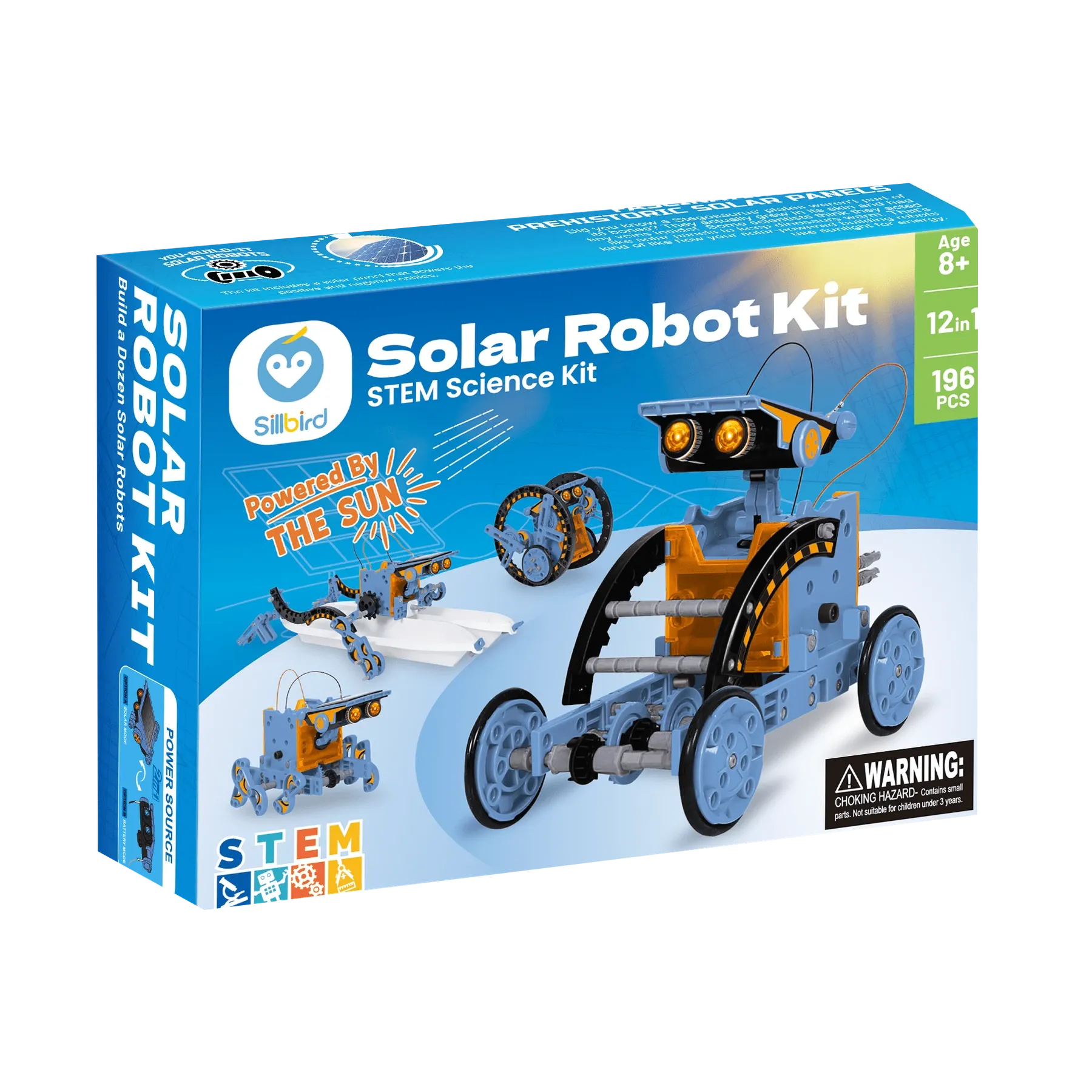
Sillbird STEM Solar Robot 215E
A sunny, hands-on project that turns one kit into a dozen robot builds.
Best for Builders aged 8+ who enjoy assembling reusable models and can try solar-powered movement in direct sunlight
Read the review